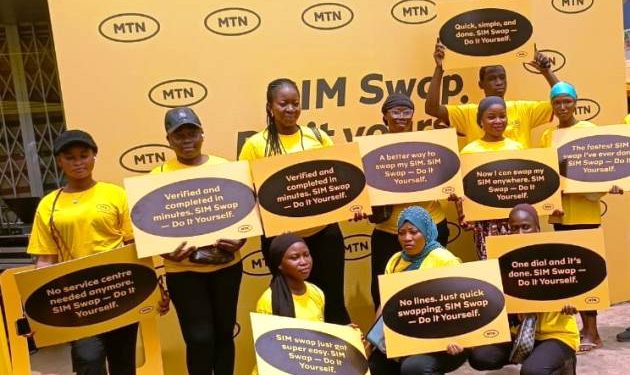
MTN Ghana has launched a self-service SIM Swap platform to allow customers to swap their SIM cards on their own anywhere in Ghana and across the globe, and reduce the long queues at MTN shops.
The self-service, available on the MyMTN App and also on USSD channel – *1333# allows customers to go through a step by step process to swap their own SIM cards, instead of going to MTN customer service centre and queue for that service.
Chief Customer Experience Officer of MTN, Jemima Kotei-Walsh, who launched the service said, “SIM Swap, for many years, has required customers to visit our service centre or raise a request online for assistance, and today, that has changed. We are proud to give our customers the freedom to complete this essential service conveniently, securely and independently from wherever they are, without the need to travel or queue at a service centre.”
This service, she said, will allow customers to swap their stolen, damaged or lost SIM cards at their own convenience.

According to her, on the average, MTN processes around 250,000 SIM swap request every month, and that creates long queues at MTN shops, which often inconveniences customers.
Jemima Kotei-Walsh said, ahead of the launch, MTN conducted a four-month pilot, in which over 18,000 customers successfully completed SIM swaps using the self-service solution in both the MyMTN App and the USSD channel – *1333#.
How it works
- The customer is first required to purchase a blank/unregistered SIM card from an authorised MTN agent, Connect Store, or Service Centre.
- The customer must ensure his/her Ghana Card ready for verification.
Using the USSD Channel
- Dial *1333# on an active MTN number
- Select Option 3 – SIM Swap
- Choose Option 1 to swap your own number
- Follow the prompts to enter the new blank SIM card’s serial number
- A secure link will be sent via SMS to your number
- Click the link to open the portal and enter the One-Time Password (OTP)
- Complete the biometric face verification using your phone’s camera
The system will validate your details with the National Identification Authority (NIA). Once the process is successful, you will receive an SMS, and the new SIM will be activated.
Using the MyMTN App
- On the Home Page, select “More”
- Select “Self-Service”
- Then select “SIM Swap” and following the prompts to complete the process.
The service also allows one customer to do swaps on behalf of others.
Swapping SIM for others
After selecting SIM Swap on the USSD channel, selection Option 2 (Others) and follow the prompts from there to swap a SIM for another person.